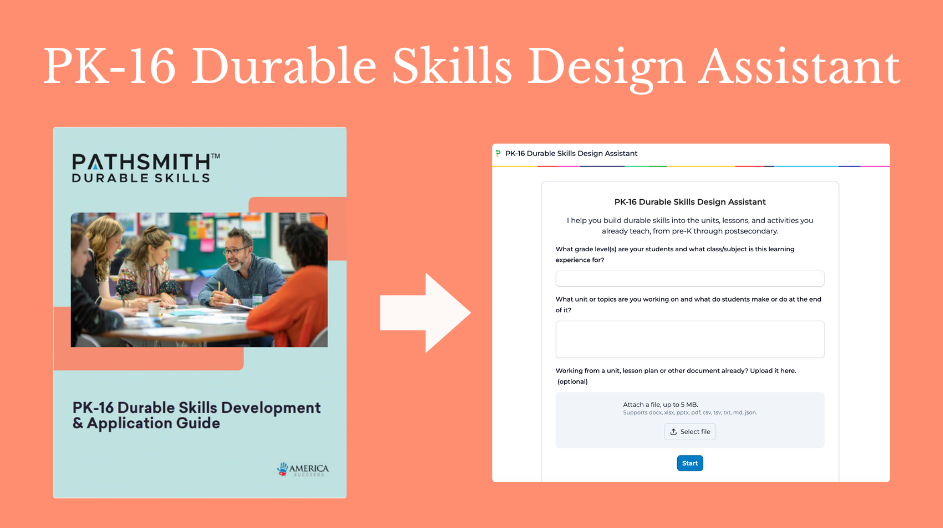
America Succeeds has released the PK-16 Durable Skills Design Assistant, a free AI tool that helps educators build durable skills into the units they are already teaching. It is powered by our PK-16 Durable Skills Development and Application Guide (DAG), which gives educators a practical, research-grounded resource for making durable skills visible and developable across the full learning continuum, from early childhood through early career.
The DAG describes 24 durable skills, such as Self-Management and Decision-Making, and shows what each one looks like at six stages of development from Pre-K through postsecondary. For each skill, you can explore how it typically shows up, what to look for, important patterns to understand, how to design experiences that build it, and skill development pitfalls to avoid. It is free to download, and it is grounded in employer-validated research about what young people need when they leave your classroom.
The DAG is an amazing and thorough resource, but it is also long… The assistant is built to help you take advantage of its content without sifting through all 130 pages yourself!
How the AI assistant works
You give it three things: (1) your grade level and subject, (2) what your unit covers and what students make or do at the end, and (3) a lesson plan to upload (optional). It maps your students to the right developmental stage and pulls the material that applies to them.
Most educators are likely to use it to support lesson design. You describe something you have seen your students do or not do, and the assistant helps you identify two skills to center your lesson or learning experience on. From there it builds design targets, instructional strategies, practice structures, and feedback approaches drawn from the DAG. It works backward from what students are tasked to produce, so the skills development is intentionally embedded in the unit. From there, you can customize or contextualize further, if you want to.
Three other paths are open:
- Make sense of what you are seeing. Describe a pattern, like students giving up when a build fails, and the assistant explains what is developmentally typical at that age and what the environment may be contributing.
- Work backward from what employers want. Name a workforce skill and it traces which PK-16 skills to build in the grades before, using the DAG’s crosswalks to early career performance.
- Look something up. Ask what a skill looks like at your grade level and get a direct answer.
The assistant will not rate or score your students. The DAG is built for observing and informing rather than ranking.
Bring a unit you are actually teaching this fall and see how it can help you intentionally embed skills development that will serve your students throughout their education and into their careers.
Ready to explore? Use this link to get started.
Note that this is version 1.0 of the app. If you have any questions, suggestions, or feedback about how this app performs, please reach out to Aidan Schief at aschief@americasucceeds.org. We want to continue making this app better over time!